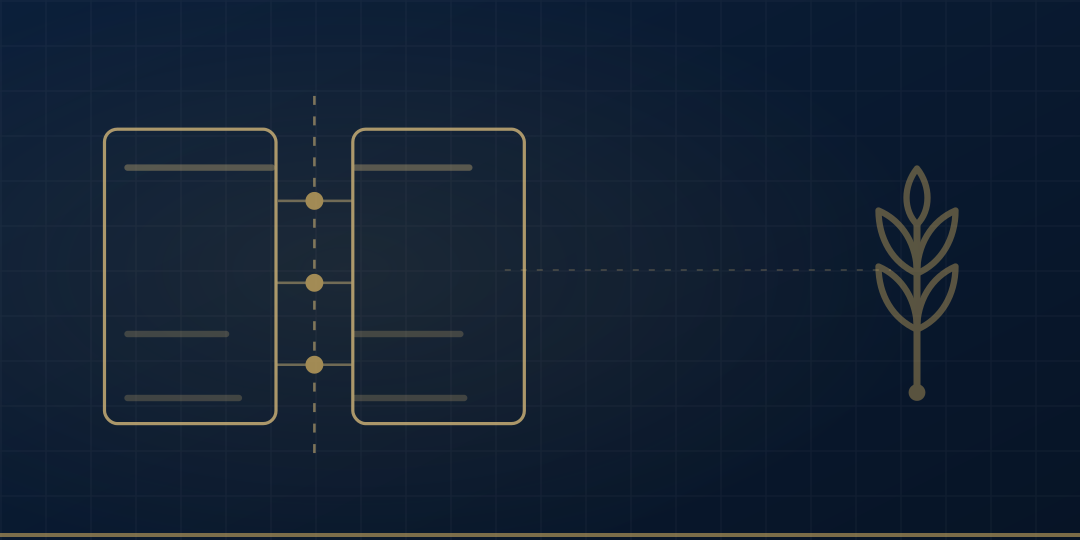
Connecting software to e-invoicing means one document exists twice: once as a record inside your system, and once filed in the tax authority’s e-document system. Two things settle the rest: which side assigns the invoice number, and which field the reply from outside is written into. With the document identifier generated at creation time, a retry advances the same record instead of issuing a second document.
An e-invoice is your record crossing a boundary
Issuing an invoice reads like one action and is in fact two. The first is creating the record: who, what, how much, against which job. The second is turning that record into a document and filing it in the Revenue Administration’s e-document system. On paper the second action was pressing print, and it was glued to the first. Under e-document rules the two came apart, which means they now have to be commissioned separately.
The clearest way to see the split is to ask where the document exists. A paper or PDF invoice exists inside your system and nowhere else; nothing outside it knows the document is there. An e-invoice exists in your database and on the authority’s side at the same time. The moment there are two copies, a question appears: which one is current? A status field carried on the record itself answers it: was the document sent, what did the other side reply, is it still waiting.
Where the second action is never commissioned, what gets delivered is a PDF template. It prints the number, places the logo and lays out the page. Because the document has no existence outside the business, nothing about the working day changes: the invoice is still issued somewhere else, by somebody else, in another program.
We ran into exactly that in AlgoCar, which we built to gather up a workshop setup where the invoice is issued in a third program: the cost and the revenue of one job were matched afterwards by hand. What this article is about is the last step of that arrangement, where a record crosses the edge of the system that holds it.
One exception belongs at the front. If a marketplace or an agent issues documents on your behalf, the second action already happens outside your system and this question is not yours to answer. Everything below assumes a business issuing documents in its own name.
Where the invoice record is created: your system, or a third program
An invoice created in a third program gets its number there. The place that assigns the number is the source of the record, because that is what makes the document unique. When the source sits outside, the chain inside gets assembled by hand: somebody reads the number and types it onto the job, somebody else checks the amount, and at month end the question of which job produced which invoice has to be answered all over again. In the workshop arrangement behind AlgoCar, that matching piles up at exactly that point.
The same diagnosis appears in clinical work with different furniture. If the appointment lives in a calendar, the treatment plan somewhere else and the invoice in a ledger, the link between the three has to be rebuilt every month. In the dental clinic CRM, where the invoice comes out of the patient record, the treatment billed and the treatment performed are read from the same place. When the answer already sits in a record, the document that leaves the building is produced from that record too.
Once the record is created inside, the document leaving the building stops being a separate object and becomes a state of that record. The invoice appears as a draft. Sending moves it forward. A reply from the other side closes it as accepted or rejected. All of that lives on one row, so the work order screen never has to open a second program to find out where the document got to.
An externally created invoice can be attached to an internal record afterwards, and it is worth naming what that does. You write the external number onto your record as a reference. Two numbering series then travel together, and a person joins them every time. That is not derivation, it is a second act of data entry; we set out the difference between a source record and a derived one in our piece on architecture.
Where this does not hold is straightforward. If the volume of documents does not strain manual matching and there is no work order system to attach them to, building one so that the record can be created inside brings more work than it removes. What decides it is whether those documents have a job to be attached to, not how many of them you issue.
e-Fatura Portalı, integration and private integration: what each one leaves behind
Start with the questions rather than the brochures. Three of them separate the methods: where is the record created, who signs and stores the document, and how does the authority’s answer get back into your record. Skip these three and the choice gets made from a demo, while the manual work stays where it was.
The names matter, and they are easy to get wrong. The wording on the Revenue Administration’s own legislation page is that taxpayers with a defined user account may use the e-Fatura application through integration (entegrasyon) or through the e-Fatura Portalı. Alongside those, özel entegrasyon, private integration, takes its name from the guide the authority publishes for it. The word özel entegratör, which circulates as if it were a method, is the name of the authorised intermediary organisation. The method is private integration; the integrator is the company. These are Turkish names and they are left in Turkish throughout; legislation, thresholds and deadlines are out of scope here.
On the e-Fatura Portalı the record is created on the authority’s screen. Everything the business still does by hand follows from that: each document is retyped into that screen, and its number is carried back into the internal system afterwards. This is the “record created outside” case from the previous section, wearing an official name. Chosen knowingly it is not a mistake. Chosen unknowingly, a business discovers later that the system it bought to remove manual work left the manual work standing.
With integration the record is created in the business’s own system and the connection sits on the business’s side. Manual work does not fall to zero, it changes species: data entry ends and keeping a connection alive begins. That is an IT job, and a business without people to do it tends to choose the method before seeing the job.
With private integration the record is again created in the business’s system, and the document travels from there to an authorised intermediary. On the question of where the record is created, integration and private integration give the same answer. What differs is where the connection sits and by which route the authority’s reply comes back into the internal record.
Signing and storage are deliberately left unallocated here. The Revenue Administration publishes separate guides for the signing tool (İmzalama Aracı) and for storage; which method puts those two responsibilities where is a question to answer from those documents rather than from a vendor’s slide. The distinction drawn in this article rests on where the record is created and how the answer returns.
A limit closes the section. If there is no work order or order system yet, choosing a connection method is a premature question, and the e-Fatura Portalı is the only sensible option available.
Who the customer is: e-fatura or e-Arşiv Fatura is decided when you send
The Revenue Administration describes the e-Fatura application as a closed circuit: users of the application send e-invoices to users registered in the system and receive e-invoices from users registered in the system. Whether the customer is registered is the criterion that decides the type of document you issue. A customer who is not registered receives an e-Arşiv Fatura, which is a separate application with its own portal on the authority’s site.
The first consequence lands on the screen. Document type is not a preference of the seller; it follows from a property of the buyer. A dropdown on the sales screen that asks the operator to pick a type looks like flexibility and behaves like a defect generator, because the wrong type goes straight into the cancellation flow.
The second consequence is about timing. A customer’s registration status changes independently of you: a customer who is not registered today can be registered next month. The decision therefore cannot ride on a permanent flag on the customer card, which brings yesterday’s answer into today without anybody noticing. The right moment is the moment of sending: ask whether the customer is registered, take the answer, produce the document accordingly.
The third consequence goes straight into the data model. The lookup needs a tax identifier on the customer record, so that field becomes mandatory when the customer is created, not when an invoice is being written. The result of the lookup and the time it was made are stored on the document record rather than the customer record. The document then carries, on its own face, which answer it was issued against.
The same decision falls in the same place on the sales side. In e-commerce systems where the invoice record is created by the order record, the type decision belongs to the step that turns an order into an invoice, not to the basket.
The reverse also happens: if every one of your customers is a consumer, the lookup returns the same answer every time. Keep it on the document record anyway, because the first corporate customer has to meet a decision that was already made in the record.
Number, cancellation and objection: what stops changing after filing
Look at the edit button first, because it is where the constraint becomes visible. Before sending, the record changes at field level: it is a draft and people work on it. After sending, the same button no longer corrects anything; it starts a different operation. An interface that hangs two jobs on one button does not tell the user which one they just performed.
The rule behind it comes from the outside. A filed document is not corrected by changing its fields; a change produces a separate transaction attached to it. The Revenue Administration keeps a dedicated surface for this, the e-Fatura İptal/İtiraz Portalı: cancellation (iptal) and objection (itiraz) are distinct operations, and neither makes the document disappear.
In the data model this hardens into one constraint: an invoice record cannot be deleted. A deletable invoice record opens a gap in the number series that nobody can explain months later. If a delete button exists on the screen, it has to become a different operation once the document has been filed.
When a new document has to be issued that refers back to an original, the same principle applies to its shape: the new document carries, on itself, which document it answers. A correcting document with no reference field cannot say which job came back, so matching returns to a person on the accounting side and on the work order side alike.
On numbering, one rule is enough: the number comes from one place. If the record is created inside, the series counter lives inside the system, and no outside screen may write into the same series. Where two sources write into one series, a collision is not a risk profile. It is a matter of time.
One case sits outside all of this. In workflows with a long approval stage, a record can sit as a draft for days and change freely the whole time. Nothing in this section applies to a draft. It applies to a document that has already been filed, and the line between the two is the act of sending.
Does a work order close when the outside system does not answer
Finishing the job and getting the document to the other side are two events. Tie them to one field and an outage somewhere else stops the workshop: the technician is done, the customer is leaving, and the screen is waiting for a reply. Which is why the closing state of the work order and the send status of the invoice belong in separate fields.
Kept apart, an outage shows up in the business like this: the work order closes and the invoice record sits on a list as waiting to be sent. Because the record was created inside, it exists whether or not anybody outside answers. The only thing missing is its passage to the other side.
The shape of the queue is familiar. Building AlgoKlima, where a service record is created on the phone with no connection present produced the same shape: the record exists locally first, transmission queues behind it. Only the identity of the outside party differs. How that queue is constructed, and why it is not retry logic, is set out in our article on offline-first field apps.
The connection method also decides where an outage lands. When the record is created inside, the outage lands in a queue. On the e-Fatura Portalı the document was never created at all: if the screen you were going to type into does not open, there is no record, so the job goes onto paper and gets typed again later.
Where pending documents appear is a separate design decision, and the right answer is to derive the list from the status field. A hand-kept list of pending items is a second ledger and drifts from the first. The pending document shows up in the status field above the work order, and the list is generated from that field.
It runs the other way in some businesses, where nothing is handed over until the document has reached the other side. Then closing is tied explicitly to document status. That is an operational decision, and software only makes it visible.
Not sending the same invoice twice: the rule for retries
Pressing send again after an outage is a safe operation in a system that was built for it. The condition is that a retry produces no new document and only advances the send status of the same local record. Sending is invoked from the identity of a record, never from a form.
What makes that possible is when the document’s unique identifier is generated. Mint it at the moment of sending and every attempt goes out under a new identity, which removes the barrier against duplicates. Generate it when the record is created and hold it locally, and the second attempt carries the identity of the first. The barrier is built at creation time.
The hardest outage is not the one where the connection never opens. It is “sent, no answer”: the document may have reached the other side, or it may not. If those two possibilities collapse into one status value, the second attempt is fired blind. Give the uncertainty a status value of its own, and route records holding that value into a flow that does not resend without checking.
A duplicate that reaches the other side does not get withdrawn; it enters the cancellation flow from the previous section. So the cost of skipping the barrier does not show up on the sending screen. It accumulates on a cancellation list.
The field queue and this one share a shape without sharing a job: there the outside party is a server, here a tax authority, and here the identity has to exist before the document is sent and travel alongside a number that came from a single series.
One exception worth stating: under private integration the intermediary may run a duplicate check of its own. That check does not substitute for an identity on your side. Without one, the only distinguishing information the intermediary holds is the set of fields you sent.
Which connection method fits which business
The columns below are the three questions from earlier, plus outage behaviour, laid out row by row. You will find your own row in the “manual work left with the business” column, and the first row describes the arrangement with no connection at all.
| Connection method | Where the invoice number is assigned | What an outage does | Manual work left with the business | When it is the right answer |
|---|---|---|---|---|
| No connection: the invoice is issued in a separate program | In that program; the work order system never sees the number | That program’s problem; the work order system cannot see the document anyway | Carrying the number and the document status onto the job; matching cost to revenue at month end | While you have no work order or order system yet |
| e-Fatura Portalı | On the authority’s screen | No document is created; the job goes onto paper and is retyped later | Typing every document into the screen; carrying the number back | While volume does not strain manual entry and the record need not be created inside |
| Integration (entegrasyon) | In your system, from a single series counter | The record exists; sending waits in a queue and goes out in order when the link returns | No data entry; running the connection instead | If you have people who can run that |
| Private integration (özel entegrasyon) | In your system; an intermediary carries the document | Two outage points: between you and the intermediary, and between the intermediary and the authority | Watching the authority’s answer land in your record | If the record is created inside but the connection is run outside |
Reading down, the decisive column is the second. Where the number is assigned settles the other three in advance: assigned outside, an outage lands on paper and the manual work is carrying numbers; assigned inside, an outage lands in a queue and the manual work shrinks to watching a status.
Most readers are on the first row today. AlgoCar started from that row as well: the invoice issued in a separate program, the number assigned in that program, and a work order system that never saw the state of the document.
The Revenue Administration’s e-document system is not an accounting package; it holds the existence and the status of a document. Which program keeps the ledger is a separate question and not the subject of this article.
When we build systems where the stock movement and the invoice come out of the work order itself, the order is always the same: first the place where the record will be created, then the way it connects. Businesses that pick the second before the first find out afterwards which manual work they inherited.