Mobile app development takes the part of your business that does not happen at a desk onto a phone, or onto a screen the business owns. Which device the app opens on, what it holds locally and what happens when the connection drops are settled before the first screen is drawn. AlgoKlima's field app opens a service call with no signal, while the KGM SsangYong showroom kiosk runs on the dealership's own touchscreen.
A mobile app is tested at a desk but judged where it is used. A technician opens it in a boiler room, a worker scans in on a temporary site that has only just acquired an address, a visitor taps a screen on a shop floor with a few minutes to spare. In all three the network is worse than it is at a desk.
AlgoKlima’s field app was built for that condition. A service call is opened, filled in and closed with no signal present, and because the information sits on the phone, no waiting notice appears on screen; when coverage returns it reaches the back office in the order it was created. The queue behind that is taken apart in offline-first field apps. AlgoKlima is our own product, so the upkeep of that condition is ours as well.
The construction site attendance system answered a different question: how do you record arrivals and departures without mounting anything on site. The scanned code confirms the person and the device location confirms the site, so nobody has to name a place from a list. Because the system runs on the crew’s own phones, closing a site leaves no turnstile to uninstall.
The KGM SsangYong showroom kiosk took the app off the visitor’s phone altogether. Trim and equipment are browsed on the store’s own touchscreen: no download, no account, no personal data collected. Nor is the interface an enlarged phone app; touch targets, type size and navigation depth were set for someone standing up for a few minutes.
All three came out of the same toolset. A phone in a boiler room and a screen on a shop floor do different jobs, yet both were written with one set, because whoever reopens that code years from now is also us.
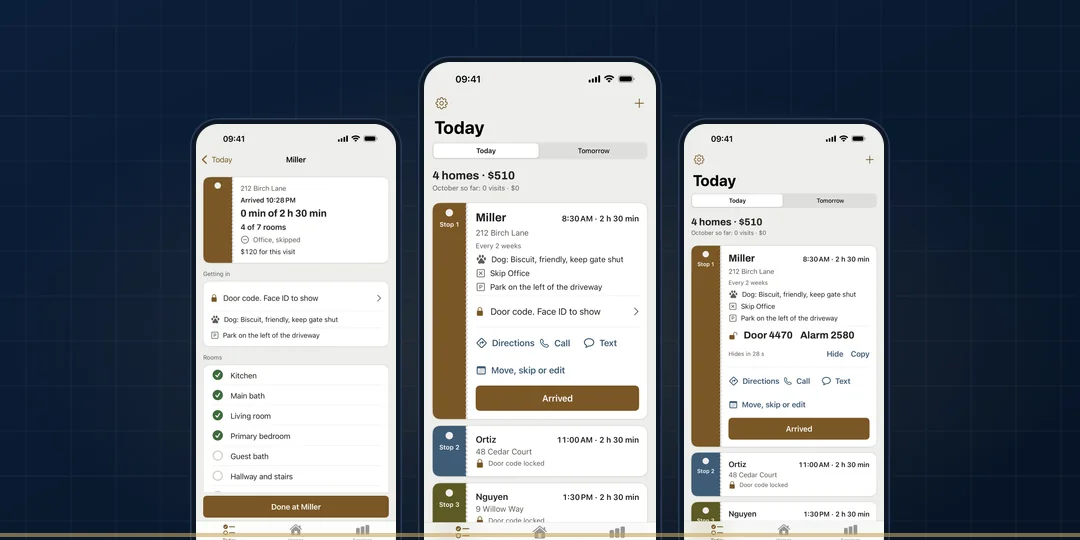
When the heart of the job sits in the iPhone itself, we step outside that toolset. ProofPair, Nightproof and Day Sheet were written natively for iOS, with no shared layer in between. Day Sheet keeps a door code behind Face ID and closes a visit from the Lock Screen; Nightproof brings its sound back at the same level after a call or a headphone drop. Each of them reaches straight into interfaces iOS owns, and a shared layer does not go that deep.