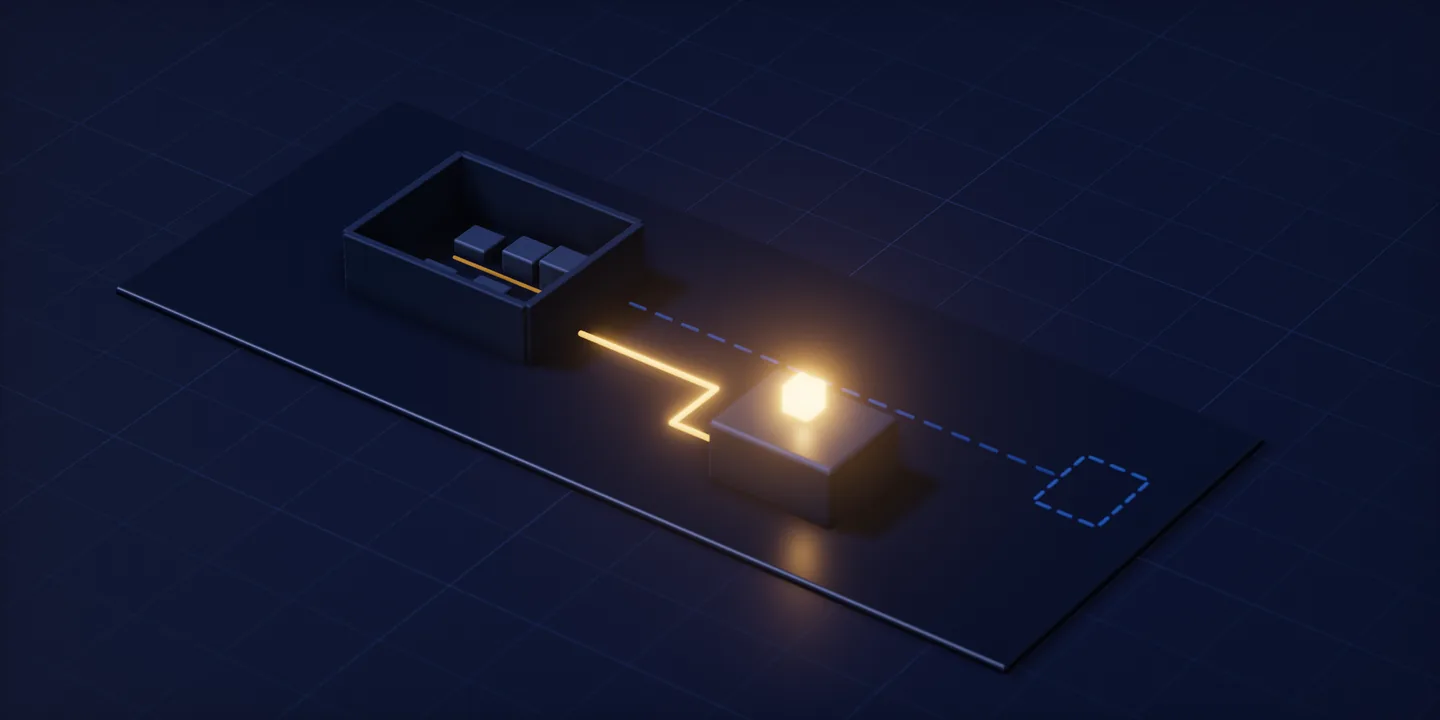
ERP stands for enterprise resource planning, a class of software that holds core processes such as job tracking, stock and accounting on one record instead of in separate programs. What settles whether a business belongs in that class is the number of separate programs one job’s record travels through. AlgoCar grew out of a workshop where that number was three; today the job closes on one record.
What ERP stands for
The abbreviation comes from the English phrase enterprise resource planning, and the letters are used as they stand. They name a class of software rather than a single product, which matters more than it sounds. Most owners first hear the word from a salesperson, so the abbreviation and a brand name arrive fused together. Pulling them apart is worth the effort, because membership in the class is decided by behaviour rather than by the label on the box.
The class does have a list of headings that can be read off item by item: typical headings include job tracking, stock, purchasing, sales and the accounting record. The list belongs to the definition, not to a promise. Which of those headings a particular package actually carries is a different question, and it is not the question this article answers. The question here sits one step further back: what changes when those headings share a record.
On its own the list stays abstract, because every heading on it also exists in isolation. A business can run a spreadsheet for stock, one program for job tracking and another for invoicing; the headings are all present, and still there is no ERP anywhere in the building. What makes the difference is not that the headings exist but what sits between them.
Being a class name has a practical consequence. When an ERP is being assessed, what gets compared is not a feature sheet but an arrangement: two systems carrying the same name can open a business’s records in entirely different places. That is why the sections below follow the path of a record instead of a list of features.
One more thing belongs here. The same letters mean other things outside software, in psychology and in gaming among others, and search results mix them freely. Everything that follows is about business software.
Why the same movement is entered once
What separates an ERP is not how many screens it has but what the screens are looking at. A stock screen and an invoice screen look like separate places to the person using them, and both read the same movement. Once a movement is written down anywhere, the other screens start seeing it from their own angle: the warehouse side reads it as consumption, the accounting side reads it as a cost, and the record underneath is one.
The inverse is just as plain an observation. If the same movement has to be carried into a second program by hand, there is no single record in the picture. Hand carrying is the most visible sign that a record has more than one owner, because what gets carried is not the information itself but a second copy of it. None of this depends on what the software is called. A business can run a system labelled ERP and still key the same movement in twice.
It is also worth saying why the count ignores screens. Adding a screen creates no scatter at all; showing one record from several angles is ordinary work for any system. Scatter comes from multiplying records. The moment the same movement lives as two records, something has to decide which one is right, and that rule usually ends up in somebody’s memory rather than in the software.
Reporting carries the same property. The month-end figures are not typed anywhere a second time; the report gathers what is already written and arranges it differently. We saw this hold in a dental practice, where the same patient record feeds the plan, the invoice and the monthly view.
There is a language problem underneath all this. Businesses describe what they need in module names: the invoicing side, the reporting side, the stock side. A module name says which screen is wanted; it says nothing about where the record opens. Describing a need by its unit of record rather than by modules shortens the list in a way we have written about separately. Here module language appears only as the opposite pole of the recognition test.
Buy a module and keep entering the same movement into two screens separately, and the record stays in two places no matter what the thing is called. What was bought in that case is not an ERP; it is a second program.
The question is not how many modules, but where one job’s record travels
The diagnosis fits in one sentence. In the workshop where we started building AlgoCar service management software, the record of a single repair was split across three programs: one held the order, a second held the parts stock, a third issued the invoice. The weight of this section sits on the count that comes out of that, not on the diagnosis itself.
The rule of the count runs on a single question. Follow one job from the moment it opens to the moment it closes, and write down every program its record touches. The answer does not come from module names; it comes from the day the business actually has. Nothing in the count depends on a vendor, so it can be run before any meeting, and the result appears in no brochure.
What the scatter costs shows up in an odd place. Each of the separate programs does its own job properly. The cost appears in the work of putting two records back together: a job’s spend and its takings are matched by hand at the end of the month, and whoever does the matching has to remember which part went to which job. With no reference between the records, software cannot take that work over, so a person keeps it.
When the count falls to one, what appears is concrete. In AlgoCar today the order, the part written against it and the invoice sit on one record, and the operations side and the accounting side are connected to the same system. The product is ours and we are still developing it. Whether a record is kept in its own right or produced from another one was decided as the data model took shape; we set that decision out in the article on why architecture comes first.
The difference between a module list and a count is a difference in who knows what. A module list describes what a vendor has on the shelf; a count describes the arrangement a business is actually running. Writing the count down shifts the balance: list where a job’s record opens, where it gets changed and where it closes, and what you hold is program names rather than module names.
A count of one takes the question off the table. If a job’s record opens in one place and closes in the same place today, there is no scatter for a new system to remove, and that business’s real problem sits elsewhere. That is the value of the test: the answer is not always a purchase.
Where the chain begins is a different record in every business
Where a chain begins depends on the work itself. ERP conversations usually skip this link and go straight to modules, and a chain cannot be built before the unit has a name. In a workshop the unit is the work order: the order opened when a vehicle comes in is the record of the job itself, and both the part and the invoice attach to it.
Naming the unit has a practical consequence: everything downstream attaches to it. In the workshop the consumption of a part is written against the order, and the invoice comes off the same order. Change the unit and the attachment point changes with it, which is why a unit is not a naming preference but the centre of the record structure.
On a manufacturer’s sales side the chain starts somewhere else. In the Resterm heater selection software nobody keys in a catalogue code; what goes in is the heating requirement of the job. That entry is the first link. Because the unit is a requirement rather than a product, the chain starts from the work and not from a product list.
In a clinic the unit is the treatment plan. In the dental clinic system the plan carries how the treatment breaks down tooth by tooth, and it stands as a record that does not depend on an appointment. An appointment is an event; the plan is the work. The unit of an ERP is always the work to be done, never the slot that work occupies in a calendar.
Put those units side by side and something they share shows up. None of them is the name of a screen; each is the name of work the business actually performs. A work order is a repair, an entered requirement is a heating job, a treatment plan is a course of treatment. That is why the ERP question arrives before the module question: until the work has a name, nothing can say which module should hold which record.
Choose the unit wrongly and the chain never forms. The arrangement that clinic came from rested on calendar software: it knew the appointment time and nothing about the step the treatment had reached. What was missing was not a module but the record carrying the unit. Without that record there is no report and no invoice, and whatever does come out agrees with nothing.
A unit is not always self-evident. Where everyone in an organisation runs the same work their own way, there is no single chain to put into software, and the first job is fixing the method rather than buying a system. Software multiplies a standard; it does not create one.
Four businesses, four faces of the same scatter
Scatter is not an industry-specific fault. The same pattern repeats in vehicle servicing, in heater manufacturing, in dental care and in field service, each time with its own unit. Nor is this a question of scale: the dental practice in the table returned the same count. The table carries facts: for every row, the first link of the chain, the places the record sat while scattered, and what it attached to once there was one system.
| Business | First link of the chain | Where the record sat while scattered | What it attached to in one system |
|---|---|---|---|
| Vehicle servicing (AlgoCar) | The work order opened for a vehicle | The order, the parts stock and the invoice in three programs that did not know about each other | Order, the part written against it and the invoice on one record; operations and accounting on the same system |
| Electric heater manufacturing (Resterm) | The heating requirement entered | The calculation in a worksheet, product data in another document, the quote in a third place | The product the calculation chose, the cart, the project and that project’s customer on one chain |
| Dental practice | A treatment plan split into ordered steps | The plan in a calendar, billed procedures in a ledger, the monthly figures somewhere else | Plan, appointment, invoice and report all read from the same patient record |
| Field service (AlgoKlima) | The service record opened for a device | The same job tracked separately on the office side and on the site side | One record per customer and per device; office and field use the same one |
What keeps the pattern in place is not the number of programs but the absence of a reference between the records. Each record sits unaware that the others exist, so putting them together falls to a person, and that work shows up on nobody’s task list. The third column matters for that reason: what it reports is not a file count but a count of unreferenced records.
Two of these rows have a longer story behind them. What the scatter in the Resterm row cost, and how the chain from calculation to quote was put together, is set out in the article on turning a calculation into a quote line. How the scatter in the clinic row turned into separate priced lines on a quotation is set out in the article on what belongs in a first release. Here both stand as facts and are not retold.
The four rows did not take the same remedy. The last one is not a continuation of the others: in AlgoKlima the trouble was not separate programs but one job kept separately on two sides of the business. That second form of scatter gets its own section.
The second form of scatter: one job kept on two sides
A record does not always scatter across different programs. Sometimes the same job is kept twice, once on each side of a business. That was the arrangement AlgoKlima service management software started from: customers, devices and technicians were followed in separate places by the office and by the field. Counting program names misses this, because one of the two sides is often not software at all.
At first glance this does not look like scatter at all. Both sides keep their own record up to date and both are internally correct. The trouble is that both describe the same job: when a device was last serviced is written in two places, and nothing obliges the two to agree. Whichever one counts is then decided in a phone call rather than in the software.
So the unit of the count is a record, not a screen. A business with two screens working on the same record counts one; a business running one screen that rewrites its record into another program counts two. The rule sounds fine-grained and it decides the outcome: multiplying surfaces creates no scatter, multiplying records does.
AlgoKlima has two surfaces today and no second ledger. The office panel and the technician’s phone draw on a single record for each customer and each device, and changes arriving from either side do not live on as separate copies. The product is ours and we are still developing it. How the field app keeps a record with no connection is covered in the article on offline-first field apps.
A boundary needs drawing at this point. Holding a job’s record in one place and setting rules about who may do what and when are different pieces of work. The second lives in permissions, approvals and workflow, and it belongs under internal management systems. This article does not open that door; it names it, because a business running the count usually treats the two as one question.
Tying two surfaces to one record is not a gain in every business. Where the work runs on a single panel, standing up a second surface is cost for nothing. A surface count is not a target; it comes out of the work itself.
Where the ERP label stops
Packages sold under the ERP name cover more ground than this article describes: supply chain, production planning, consolidated finance and human resources all appear under the same heading. Our portfolio holds no work that demonstrates those areas. So this article makes no claim about them.
The chain we can show is limited to three flows: the job itself, the material consumed on it and the invoice that leaves the door, each one a record. The work that carries all three together is AlgoCar, and its chain stops at that point. Closing the scope this way is not a concession; it sets the claim equal to the surface of the evidence. Reading a vendor’s scope works the same way: ask which record can be shown, not how many headings can be listed.
One end of the scope stops at the statutory ledger. If a program outside the business keeps the ledger, it cannot be brought inside the system; the chain does not continue there, it closes at a handover point. Where that handover point goes and what crosses it belongs to the article on integrating with an existing accounting system. The claim this section needs is smaller: an ERP is under no obligation to replace an accounting program.
There is a reading side to a narrow scope too. The number of headings in a package’s brochure says nothing about which record it will hold in your business. Every brochure’s heading list is long; what separates them is where a record opens. The count becomes the instrument of the scope conversation as well: you sit down with your own record path instead of someone else’s heading list.
If production planning, supply chain or human resources sit at the centre of an ERP search, the scope described here does not answer that search. A scope limit is not a bargaining item; it is where the evidence ends. Saying so costs one conversation, and not saying so costs a project.
One suggestion closes this. Run the count once on your own arrangement, then frame your question to a vendor around scope: which flow can you show. If what a job costs and what it earns still meet at month end, the count will say where that happens. Where our ERP scope starts and where it stops is written on the service page with the same limit.